The Magus: Building the Primary Workstation
The Threadripper workstation at the center of the lab. Hardware choices, tradeoffs, and the problems you only find by building it yourself.
This is where I write code, and where the agents do most of their thinking.
A llama.cpp server sits on the LAN with an OpenAI-compatible API, serving a 12GB model out of VRAM to all 4 agents asynchronously. Heartbeat cycles, structured outputs, tool calls, internal coordination – the always-on work stays local and costs nothing per token. When an agent needs real reasoning depth it routes to Sonnet. When the task is hard or externally visible it escalates to Opus. The local GPUs are the floor of the system. The cloud tiers only get called when the work actually warrants it.
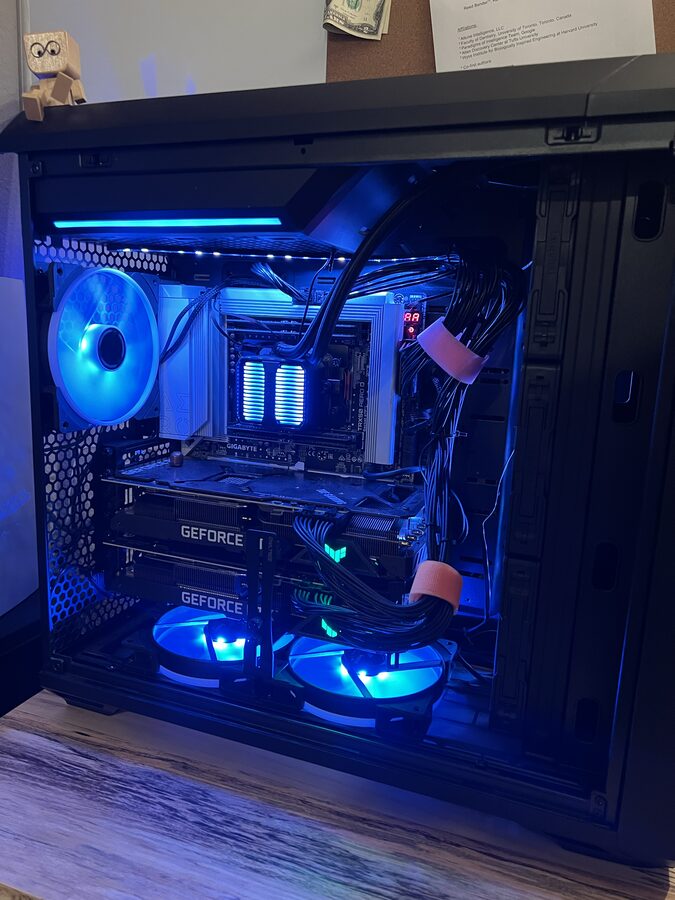
The Hardware
CPU: AMD Threadripper 9970X
32 cores, 64 threads, 256MB L3 cache, PCIe 5.0. Threadripper is for when consumer desktop silicon can’t keep up. Running llama.cpp as a background inference service while building agentic systems while doing data engineering while occasionally kicking off fine-tuning experiments.
The core count matters less than the PCIe lane count. The 9970X has 88 PCIe 5.0 lanes, 2 full x16 slots running simultaneously without lane sharing. That’s what makes dual-GPU inference work without compromise.
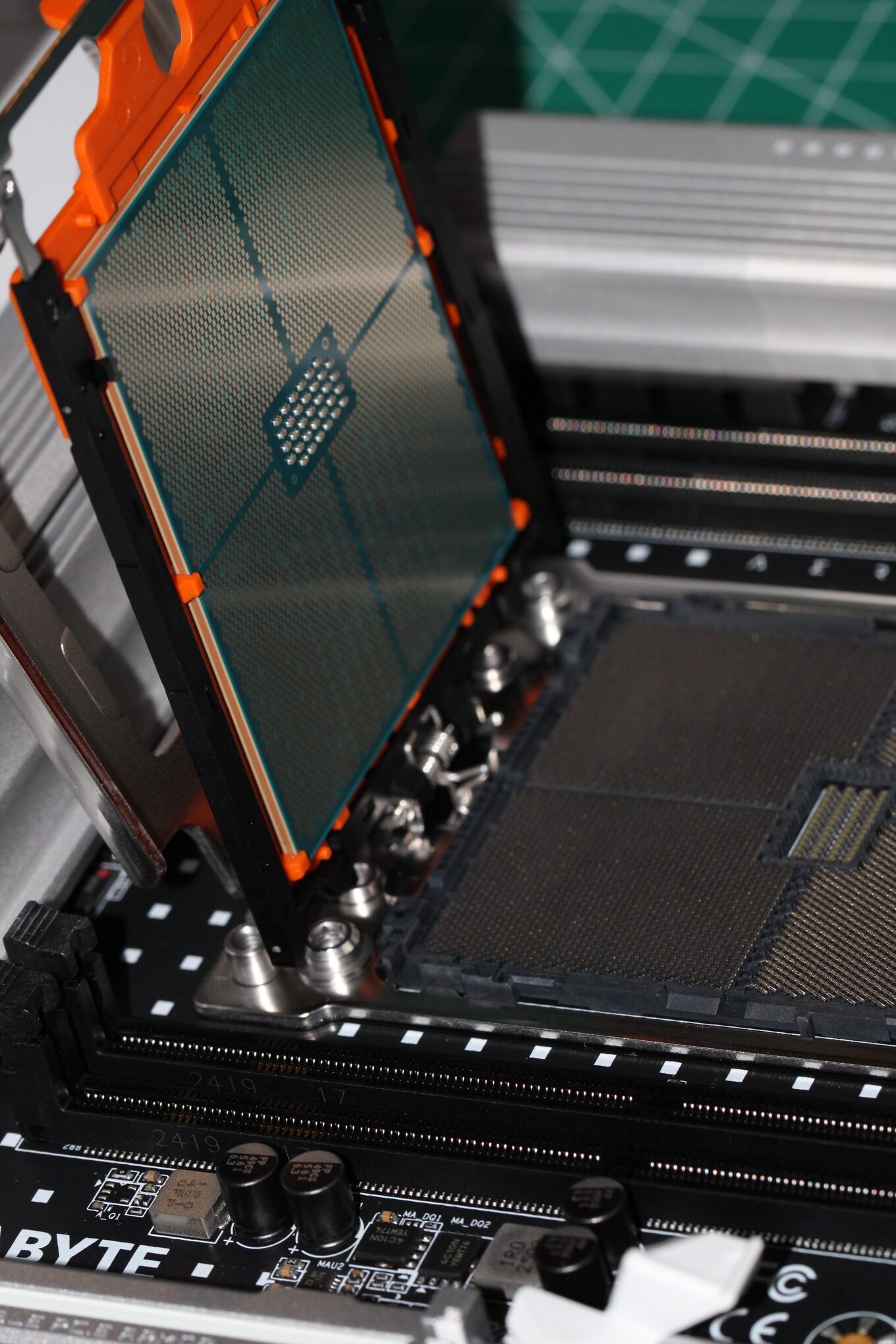
Board: Gigabyte Aero TRX50
The board exists to serve the GPUs. 8 DIMM slots, 256GB DDR5 maximum. TRX50 is Threadripper’s workstation chipset: fewer lanes than EPYC, but I don’t need a server chassis or a 240V circuit for what I’m doing.
RAM: 96GB DDR5 (of 128GB installed)
4x32GB sticks across the 4 memory channels. One has never registered since the first boot. I’ve reseated it, swapped slots, checked the cooler mounting pressure. Probably a dead channel or a marginal stick. Not worth debugging further. 96GB holds KV caches, an IDE, browser tabs, Docker containers, and the full Obsidian vault index without touching swap. I keep model weights in VRAM exclusively, so system RAM is for everything else.
Storage: 4TB NVMe SSD
One drive for now. The OS, all active projects, the most-used model weights, and working copies of the library corpus. The full 150,000-document library lives on the SER8’s expansion drive and is accessible over the Tailscale mesh. A NAS is on the list for proper long-term storage and backup.
GPUs: 2× RTX 3080 Ti (12GB each)
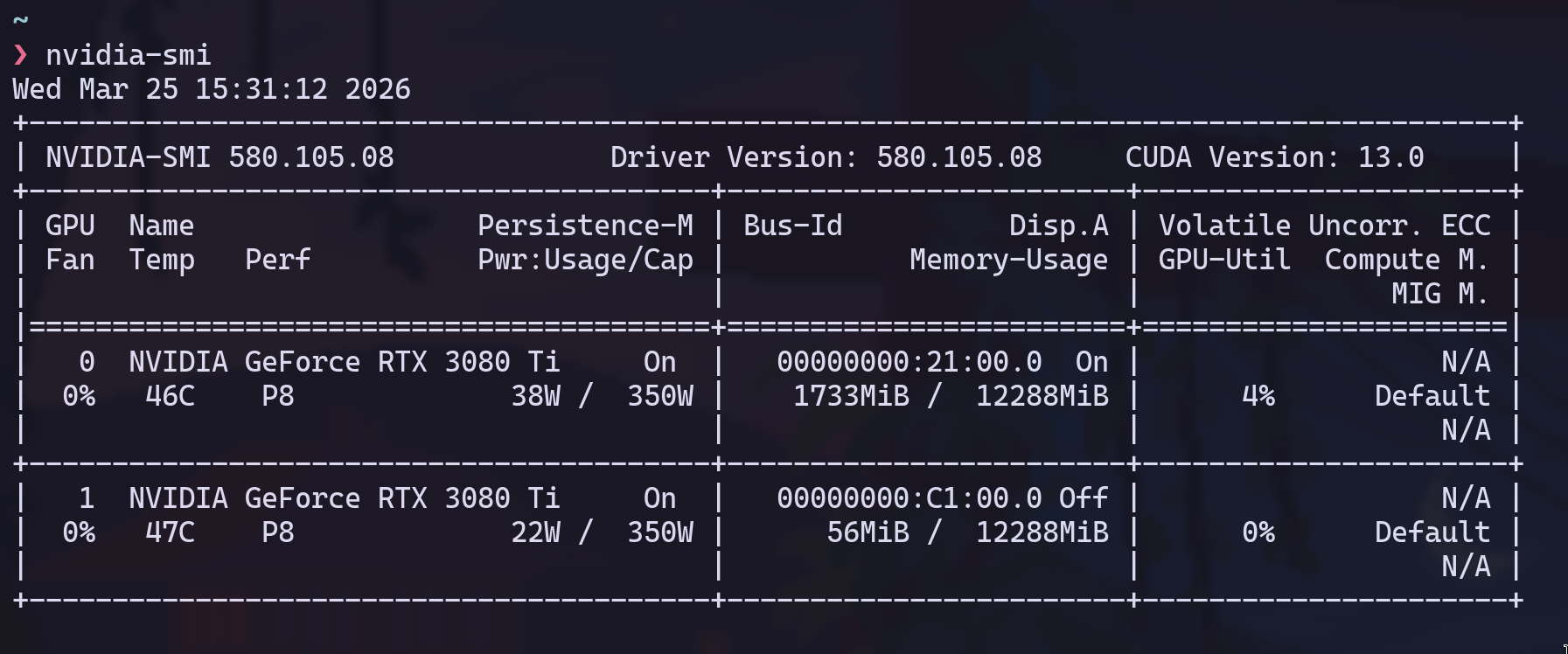
I bought these from someone on Reddit and picked them up in a Starbucks parking lot. Ex-mining cards, EVGA, both verified, about 3 months of use on them. $600 each. They were the first purchase for a machine I hadn’t built yet.
20,480 CUDA cores across the two cards, 24GB combined VRAM. Runs 13B to 34B parameter models comfortably. $1200 for 24GB of always-on inference that costs nothing per token.
The bottom card exhausts directly into the intake of the top card. The 3080 Ti has a 320W power limit and a max operating temp of 93C. I hit 92C on the top card training an LSTM. One degree below the hard ceiling. I run both with a mild power limit now and keep a Grafana panel on GPU temps at all times. It’s the constraint I think about most.
The OS
I use Arch by the way.
The Magus runs Omarchy, an Arch Linux distribution built on Hyprland. Rose Pine Dark theme, CaskaydiaMono Nerd Font, alacritty, the whole thing riced to my liking.
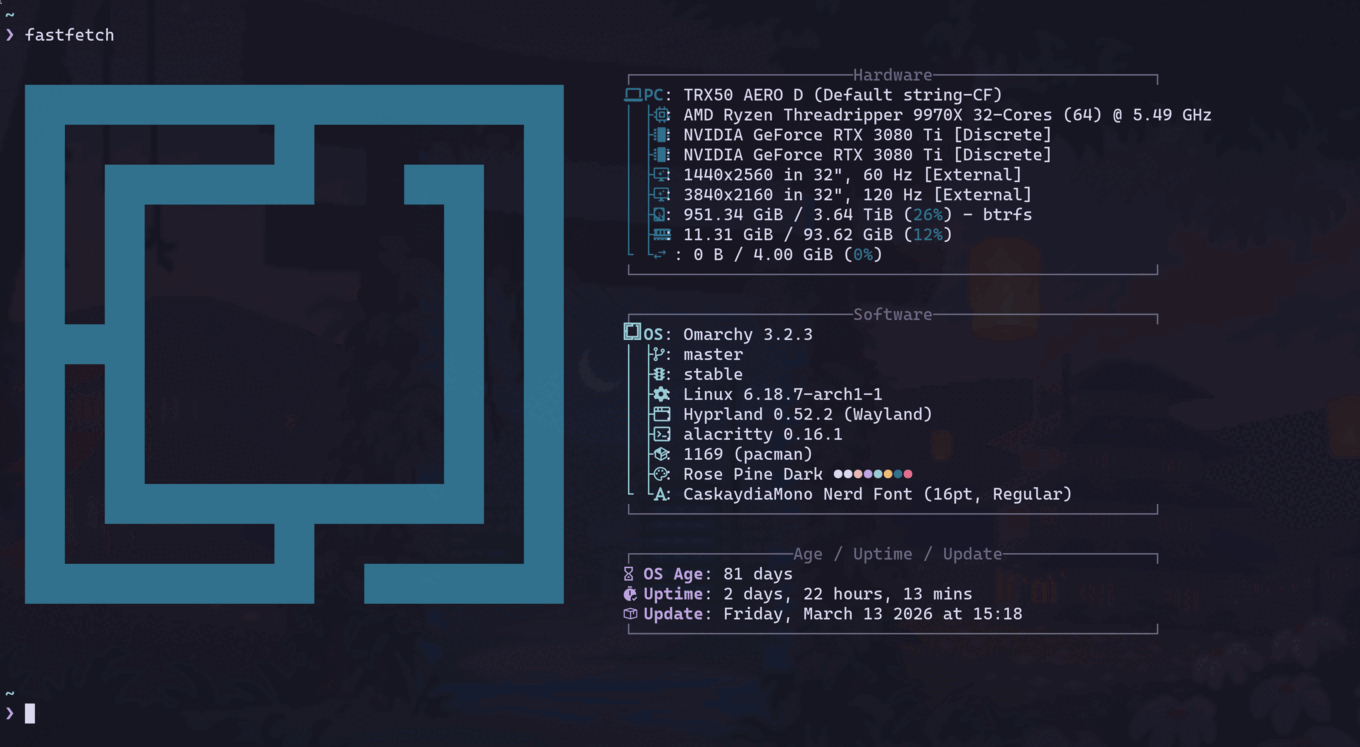
I don’t want a desktop environment that makes decisions for me. I want to know what’s running, why it’s running, and how to change it. Arch gives you that. Omarchy gives you a clean Hyprland starting point so you’re not configuring a window manager from scratch.
The Dev Environment
Neovim as the IDE, OpenCode as the coding agent. That’s the whole stack.
OpenCode is a terminal-native agentic coding tool. It runs in alacritty alongside Neovim, talks to Claude, and operates directly on the filesystem. No VS Code, no Electron, no browser-based IDE. It reads and writes files, runs shell commands, searches codebases, and iterates on code in a tight loop with the model. The interface is a conversation in the terminal that happens to have access to your entire project.
The same machine running local inference for the agent collective is where I write all the code. When I’m building a new MCP server or debugging a k3s manifest, OpenCode is calling Claude while llama.cpp is serving the agents in the background. Same workstation, same terminal session. The Threadripper doesn’t care.
Neovim handles everything OpenCode doesn’t need to: navigation, refactoring, Git workflow, the muscle-memory editing that’s faster with keybindings than natural language. My config is Lazy.nvim-based with Telescope, Treesitter, and LSP for Go, Python, TypeScript, and Terraform. No AI plugin in Neovim itself. OpenCode handles that layer from the terminal.
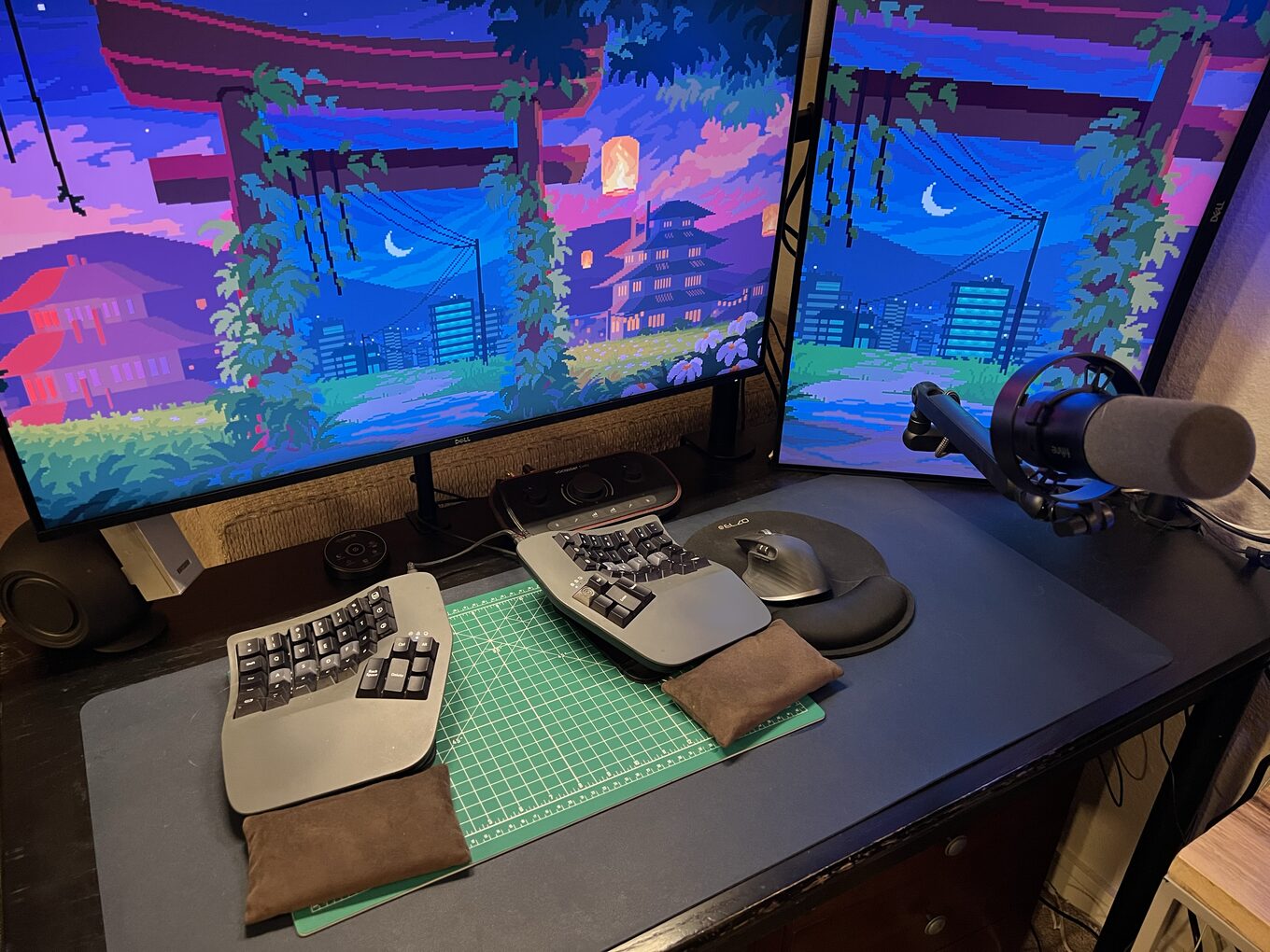
The keyboard is a Kinesis Advantage360 – a split ergonomic that ThePrimeagen recommended. Friends and coworkers call it the alien keyboard. Nobody who sits down at my desk can type on it. But it cured the RSI in my right hand and I can type for days without pain, so everyone else’s opinion is irrelevant.
Why Threadripper
I looked at EPYC. More PCIe lanes, more memory channels, but it needs a server chassis and costs 2x for compute I don’t need. I looked at used rack servers (Dell R750xa, Supermicro 4U). Loud as jet engines, hungry for 240V circuits, and I don’t want a data center in my house.
Threadripper sits in between. Quiet enough to work next to. Room to grow to 256GB RAM on the same board. It’s a workstation that can pretend to be a server when it needs to.
What Else Runs on It
Beyond inference and development:
kubectl. The k3s control plane runs on the SER8 (priestess), and the Pi5s are the worker nodes. I manage the whole cluster from here. My kubeconfig points at priestess over Tailscale, so kubectl get pods shows me every agent, every service, every pod across the cluster.
Obsidian. The vault lives on the SER8, but I access it on the workstation via the Obsidian desktop app syncing through the Obsidian Git plugin. Every note I write is immediately visible to the agents. Every synthesis an agent generates shows up in my vault.
Every node in the lab runs Tailscale. I can SSH into the workstation from my laptop, my phone, anywhere on the mesh. I’ve debugged k3s deployments from a coffee shop and watched GPU thermals from bed. The lab doesn’t stop being accessible when I leave the room.
The Upgrade Path
Two constraints define the ceiling right now.
The VRAM ceiling: 2 3080 Tis without NVLink means independent 12GB pools. A model that fits in 12GB runs on one card. A model that needs 20GB splits across cards over PCIe, which works (llama.cpp handles this cleanly) but it’s slower. For 4 agents on routine tasks, fine. But a stronger local model means more work stays off the cloud tiers, and right now the boundary between local and Sonnet is lower than I want it to be.
The power ceiling: 1600W PSU, drawing ~1130W under full load. ~470W of headroom. Enough for one more card at the 3080 Ti’s 320W TDP, not two.
Both resolve the same way. 2x RTX Pro 6000 Blackwell: 192GB NVLink-unified VRAM, 300W TDP each. That’s a 70B model running locally, which pushes the Sonnet boundary way higher and changes the economics of the whole collective. The other path is a tinybox green as a dedicated inference node sitting alongside the workstation. Either way, the goal is the same: 100% local inference, zero cloud dependency, every token generated on hardware I own.
What’s Next
The workstation is the center, but it’s useless alone. It needs something to serve. In the next post, the rack gets built: 4 Raspberry Pis, a Beelink SER8, a Pi 4 for monitoring, and the network that ties them together.
Reach me on X if you have questions or want to compare notes.